
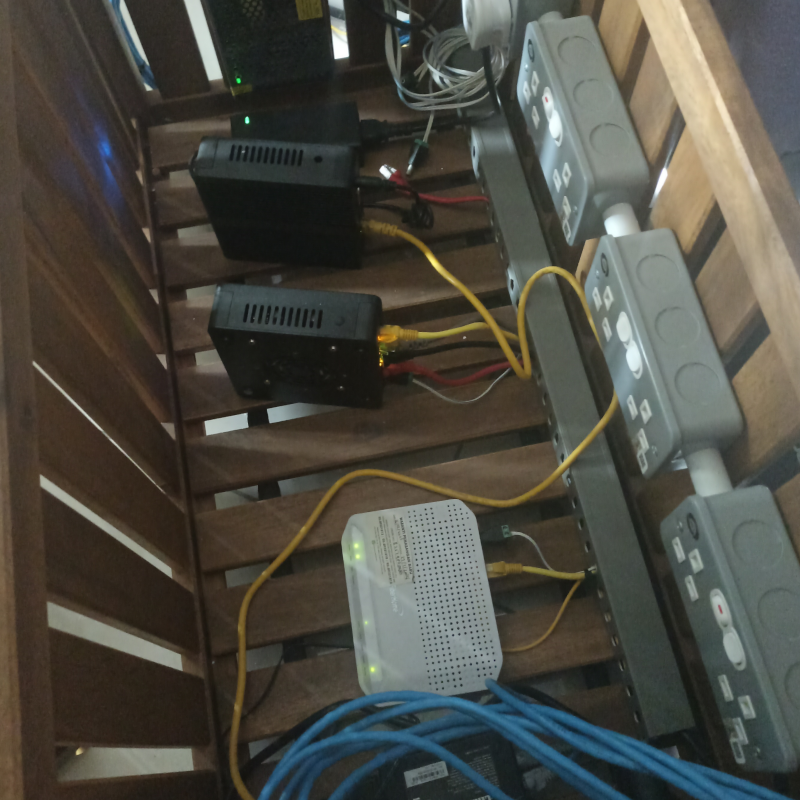
If you’re on UNIFI (home) or UNIFIBIZ (business) in Malaysia, the all-in-one router TM provides is a compromise. It forces you to accept one WiFi standard, one antenna placement, and limited processing power in a single plastic box.
Shield Wire does things differently.
Every Shield Wire router is a dedicated wired router - no built-in WiFi, no compromises. You bring your own WiFi 6 or WiFi 7 access point (AP), or buy one from us. This separates routing power from wireless coverage, giving you enterprise-grade flexibility that all-in-one routers cannot match.
Every Shield Wire router still includes:-
- Built-in dual DNS servers (primary + secondary failover)
- Built-in pre-configured firewall protection (SPI firewall + anti-DoS)
This guide helps you choose the right Shield Wire wired router for your UNIFI or UNIFIBIZ plan.
Quick Decision Matrix
| Your Profile | Recommended Shieldwire Series | Key Priority |
|---|---|---|
| Family / everyday home user | Premium Home Series | Coverage + stability + safety |
| Competitive online gamer | Performance Gamer Series | Low latency + packet priority + DDoS protection |
| SME / Office with UNIFIBIZ | Enterprise Business Series | Multi-device + VLAN + advanced firewall rules |
Why “No Built-in WiFi” Is Actually Better
| Feature | All-in-One Router (ISP Default) | Shield Wire Wired Router + External AP |
|---|---|---|
| WiFi antenna placement | Stuck inside router (poor placement) | AP placed on ceiling / wall — optimal signal |
| WiFi standard longevity | One WiFi standard for 3–5 years | Upgrade AP to WiFi 7 without changing router |
| CPU workload | Router CPU handles both routing + WiFi → slower | Router CPU focuses 100% on routing → faster |
| Dead zone solution | Requires buying a whole new router | Add another AP for RM200–400 |
| VLAN management | Cannot separate SSIDs by VLAN easily | Full VLAN-to-SSID mapping |
The analogy:-
A Shield Wire router is like a dedicated car engine. The WiFi AP is like choosing your own wheels - sport tyres for gaming, all-terrain for large homes, or premium touring for offices. You wouldn’t buy a new engine just to change tires.
Core Feature: Built-in Dual DNS Servers (All Models)
Most routers rely on a single DNS server. If that server fails, your internet appears “down” even though UNIFI is fine.
Shield Wire’s solution:-
- Primary DNS – Fast, Malaysia-optimised DNS (low latency to UNIFI backbone)
- Secondary DNS – Automatic failover if primary is slow or unreachable
- No more “DNS server not responding” errors
What this means for you:-
- Webpages load even if one DNS provider has an outage
- Faster browsing via cached local DNS resolution
- Parents/IT admins can set different DNS rules per device
Core Feature: Built-in Pre-configured Firewall Protection (All Models)
The default UNIFI router has a minimal firewall - often just basic NAT. Shield Wire routers ship with a production-ready firewall already turned on.
Standard protection (active out of the box):
| Threat | Protection Method |
|---|---|
| Port scans | Stealth mode – closed ports drop packets without reply |
| DoS / DDoS attacks | Rate limiting + SYN flood protection |
| Ping of death | Packet size validation |
| IP spoofing | Ingress/egress filtering |
| Malicious outbound traffic | Stateful packet inspection (SPI) |
What you can do without any configuration:-
- Block WAN ping (your router becomes invisible to casual scanners)
- Restrict inbound connections from the internet
- Log dropped packets (for troubleshooting)
1. Shield Wire Premium Home Router (For UNIFI)

Best for: 4–8 person households, streaming 4K, video calls, 20–30 smart devices.
Why the default UNIFI all-in-one router falls short
- Weak WiFi range (concrete walls) - and you cannot move the antenna
- Router CPU gets overloaded handling both routing + WiFi
- No advanced QoS
- No dual DNS failover
- Basic firewall only
What Shield Wire Premium Home Router gives you
- Dedicated routing CPU – No WiFi overhead, full speed to UNIFI
- Gigabit Ethernet ports (x4 LAN, x1 WAN)
- Easy UNIFI VLAN tagging – Plug-and-play with TM’s fibre termination point
- Parental controls – Manage kids’ screen time
- ✅ Dual DNS servers – No more “DNS errors” during family streaming
- ✅ Pre-configured firewall – Blocks WAN pings & basic port scans immediately
- You choose your WiFi AP – Add one WiFi 6 AP (desktop or ceiling)
Recommended WiFi AP to pair with:-
| Home Size | Recommended AP Setup |
|---|---|
| Apartment / condo (under 1,000 sq ft) | 1 x WiFi 6 desktop AP |
| Single-storey landed home | 1 x WiFi 6 ceiling AP (central placement) |
| Two-storey landed home | 2 x WiFi 6 ceiling APs (one per floor) |
| Large / multi-storey home | 3 x WiFi 6 APs or 2 x WiFi 7 APs |
When to buy this
- You have UNIFI 300Mbps – 1Gbps plan
- You want to place your WiFi AP optimally (not hidden inside a router)
- You plan to upgrade to WiFi 7 later without buying a new router
2. Shield Wire Performance Gamer Router (For UNIFI Gamers)

Best for: VALORANT, Mobile Legends, Dota 2, CS2, COD: Warzone - and any latency-sensitive game.
Why gamers should avoid all-in-one routers
- WiFi interference from the router’s own CPU tasks
- No dedicated QoS for gaming packets
- Cannot place WiFi antenna for best line-of-sight to console/PC
- No DDoS protection
- Single DNS = lag spikes during DNS failure
Shield Wire Performance Gamer Router features
- Tri-band ready – Router processes all traffic; you add a WiFi 6E or WiFi 7 AP for dedicated gaming band
- Adaptive QoS – Auto-detect game packets, prioritise them (no WiFi overhead slowing this down)
- Ping heatmap – See best server routes
- UNIFI gaming-optimised DNS presets
- Dedicated LAN port prioritisation – Plug your PS5/PC into Port 1 (always lowest latency)
- ✅ Dual DNS servers – Switch to secondary DNS instantly if primary lags
- ✅ Game-mode firewall – Pre-configured to allow game traffic while blocking DDoS and external attacks
Recommended WiFi AP for gamers:-
| Gaming Setup | Recommended AP |
|---|---|
| PC / console connected via Ethernet | Any AP (Ethernet is always best) |
| Gaming on WiFi 6 (laptop / handheld) | WiFi 6 AP with low-latency optimisation |
| Gaming on WiFi 7 (future-proof) | WiFi 7 AP (6GHz band = cleanest airspace) |
| Competitive LAN party at home | Gamer Router + 2 x WiFi 6 APs (one per room) |
🎮 Pro tip: For lowest possible ping, connect your gaming PC/console directly to the Shield Wire router via Ethernet. The WiFi AP is for phones, tablets, and casual devices - keeping gaming traffic off the wireless band entirely.
Who needs this
- You play ranked/competitive games daily
- You experience lag spikes even on 500Mbps+ UNIFI
- You share the connection with family (Netflix + gaming at same time)
- You have been DDoSed in competitive matches before
3. Shield Wire Enterprise Business Router (For UNIFIBIZ)

Best for: SMEs, co-working spaces, retail stores, offices with 20+ staff or customers.
UNIFIBIZ is not “just faster UNIFI”
- Multiple static IPs
- Higher concurrent session limits
- SLA-backed uptime requirements
- Business cannot afford DNS or firewall failures
- WiFi must be separate from routing for security
Shield Wire Enterprise Router features
- Dual WAN – Combine UNIFIBIZ + backup 4G/5G (failover)
- VLAN support – Critical for business: separate guest, POS, CCTV, staff networks
- Advanced firewall & IPS – No monthly subscription fees
- Traffic monitoring per device – Bill departments or catch rogue usage
- SNMP & remote management – Your IT team can monitor off-site
- Metal chassis + silent fan – 24/7 operation
- ✅ Dual DNS servers (configurable per VLAN) – Assign different DNS pairs for staff vs guest WiFi
- ✅ Enterprise firewall pre-configuration – Includes zone-based firewall, default-deny inbound, geo-blocking
Why separate router + AP for business:-
| Issue | All-in-One "Business Router" | Shield Wire Wired Router + Business APs |
|---|---|---|
| Guest WiFi security | Risky - guest traffic touches router CPU | VLAN to dedicated guest AP - fully isolated |
| AP placement | Stuck near fibre point (usually a corner) | APs on ceiling in centre of office |
| WiFi 7 upgrade | Replace entire router (expensive) | Just replace APs (keep router) |
| Multiple SSIDs | Limited by router's WiFi chip | Unlimited - each AP can broadcast multiple VLAN-tagged SSIDs |
Recommended WiFi AP for business:-
| Office Size / Need | Recommended AP Setup |
|---|---|
| Small office (under 5 staff) | 1 x WiFi 6 AP |
| Medium office (5–20 staff) | 2 x WiFi 6 APs (ceiling mounted) |
| Large office / co-working | 3+ x WiFi 6 or WiFi 7 APs + controller |
| Retail / F&B with guest WiFi | 2 x WiFi 6 APs (staff + guest VLANs) |
| High-security (law/accounting) | WiFi 6 APs with client isolation + VLAN per department |
Ideal for
- Retail outlets – Stable POS + free guest WiFi (guest network isolated via VLAN + firewall)
- Law/accounting firms – Secure client data separation
- Restaurants/cafes – No dropped payments or orders
- Small factories/warehouses – Rugged operation with APs placed for scanner coverage
UNIFIBIZ speed tier recommendation
| UNIFIBIZ Plan | Recommended Shieldwire Router | Recommended AP |
|---|---|---|
| 100Mbps – 300Mbps | Entry Enterprise | 1–2 x WiFi 6 APs |
| 500Mbps – 800Mbps | Mid Enterprise (with QoS) | 2–3 x WiFi 6 APs |
| 1Gbps – 2Gbps | High-end Enterprise (2.5G ports) | 2+ x WiFi 7 APs |
Common Questions (Shield Wire Wired Routers + UNIFI)
Do I have to buy a WiFi AP from Shield Wire?
No. You can use any standard WiFi access point from any brand (TP-Link Omada, Ubiquiti UniFi, Asus, etc.) as long as it has an Ethernet uplink.
Can I just use my old TM router as an AP?
Yes. You can put your old UNIFI router into Access Point mode and connect it to your Shield Wire router. This is a popular low-cost option.
Do I still need a separate modem?
No. The Shield Wire router connects directly to your UNIFI fibre termination point (ONU) using Ethernet. We pre-configure VLAN ID 500 for TM UNIFI.
Will I lose WiFi if the Shield Wire router fails?
Yes - but that is true for any router. The difference is that with a separate AP, you can temporarily connect any cheap router to restore WiFi while your Shield Wire router is being replaced. With an all-in-one, you lose both routing and WiFi simultaneously.
Is setting up a separate AP difficult?
Not at all. Most APs have a simple phone app or web interface. For customers who buy both router + AP from Shield Wire, we offer free pre-configuration - both devices work together out of the box.
Do you offer installation?
We provide free remote setup for UNIFI users. For enterprise on-site (including AP placement and cabling), contact our team for a quote.
Final Recommendation Table
| If you mainly… | Choose this Shield Wire Router | Add This WiFi AP |
|---|---|---|
| Work from home + Netflix + social media | Premium Home | 1 x WiFi 6 AP |
| Live in a two-storey home | Premium Home | 2 x WiFi 6 APs |
| Play competitive games | Performance Gamer | 1 x WiFi 6E/7 AP (or Ethernet direct) |
| Run a business with 10+ staff | Enterprise Business | 2+ x WiFi 6/7 APs + VLAN setup |
| Want future-proof WiFi 7 | Any Shield Wire router | WiFi 7 AP (router stays the same) |
Why Separate Router + AP Is the Smarter Choice for Malaysia Homes & Businesses
| With TM All-in-One Router | With Shield Wire Wired Router + Your Own AP |
|---|---|
| WiFi antenna stuck inside router | AP placed at optimal location (ceiling / wall) |
| Upgrade WiFi = buy whole new router | Upgrade AP only (keep router for 5+ years) |
| Router CPU does double duty → slower | Router focuses 100% on routing → faster |
| Dead zones = replace router | Dead zones = add one more AP |
| One SSID, limited control | Multiple SSIDs per VLAN (guest, IoT, staff) |
| No dual DNS, basic firewall | Dual DNS + enterprise firewall included |
Where to buy & UNIFI compatibility guarantee
All Shield Wire routers sold at Shield Wire.my are:
- ✅ Standalone wired routers (no built-in WiFi - professional grade)
- ✅ Tested on UNIFI 100Mbps – 2Gbps
- ✅ Tested on UNIFIBIZ static IP
- ✅ Shipped with dual DNS servers pre-configured
- ✅ Shipped with firewall protection active (no setup required)
- ✅ Compatible with any standard WiFi 6 or WiFi 7 access point
- ✅ 1-year warranty (extendable for enterprise)
- ✅ Free firmware updates with Malaysia latency optimisations
Want a complete bundle?
We can also offer router + WiFi AP bundles. Contact our chat support with your home size or office floor plan - we will recommend the exact router, number of APs, and placement.